





 Trade $25 Get $55CLAIM BONUS





Kalshi App Review
Safety Rating (SR)
by BestOdds.com90%
User Rating
User ReviewsPayment Methods
Checklist
Overview
Bonuses
Trade $25 Get $55CLAIM BONUS
Pros & Cons


Kalshi offers iOS and Android apps for on-the-go prediction trading. In the US, you can download the Kalshi app via the official Apple App Store or Google Play Store, depending on your device.
We’ve tested the prediction market app and will share our findings about it on this page. Note that the app is strictly for trading event contracts. You buy and sell Yes or No contracts and get $1 for each share if your prediction is accurate. So, is it worth installing and keeping in your phone? Keep reading to learn more.
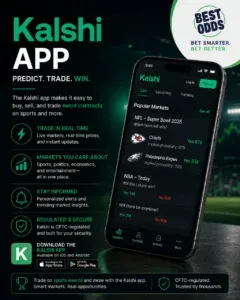
Analysis of the Kalshi mobile app
The Kalshi app has a simple, minimalist interface. Once you install it and sign in, you’ll see the available prediction markets in the top row – sports, politics, culture, crypto, and others. Any category you select instantly opens the active event contracts.
Browsing the Kalshi prediction market app is convenient with the bottom menu. It features buttons to the home page, live events, search, and prediction trading ideas. You can set the app display to light or dark mode to match your preferences, and it sends push notifications for updates.
Here’s a summary of the Kalshi trading app and its features:
| Feature | Availability |
| iOS support | ✅ |
| Android support | ✅ |
| Light/dark mode | ✅ |
| Bottom menu | ✅ |
| Push notifications | ✅ |
Trading event contracts on the app
Kalshi is regulated by the Commodity Futures Trading Commission (CFTC). So, it’s legal to install the app and trade event contracts in many US states. However, the app is unavailable in Nevada.
In our research for this Kalshi review, we saw contract prices displayed as percentage probabilities and multipliers on the event cards in the app. You only get the actual price when you tap on an event. Below is an example using an NBA game between the San Antonio Spurs and New York Knicks:
| Event | Probability | Multiplier | Yes contract price |
| Spurs to win | 47% | 2.05x | $0.47 |
| Knicks to win | 54% | 1.79x | $0.54 |
When you select an event card in the app, you’ll see a real-time graph of the price movements. Yes prices are colored green, while No rates are red, so there’s a clear distinction between them. You can sort the graph by 1 day, 1 week, or 1 month.
If you want to trade, tap Yes or No based on your prediction. A pop-up will appear for you to type in the number of contracts you wish to purchase and submit.
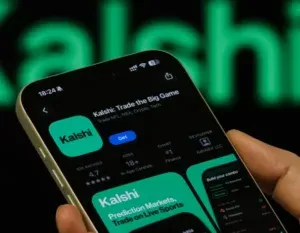
How to install the Kalshi iPhone app
On iOS mobile devices, here’s how to install the Kalshi app:
- Open the App Store and search for Kalshi
- Tap the ‘Get’ button and authorize as prompted
- Wait for the app to install
- Tap ‘Open’ to launch when done
Any recent iPhone or iPad will work for the installation.
Steps to get the Kalshi Android app
If you own an Android smartphone or tablet, follow these steps to install the Kalshi app:
- Visit the Google Play Store
- Search for Kalshi and tap ‘Install’ for the official app
- Approve the download if required
- Launch the app after installation
We recommend confirming that your device meets the software and space requirements before installing.
Upsides and downsides of the Kalshi mobile app
The Kalshi prediction market app has its pros and cons, and we’ve outlined them below:
Pros
- Available for iOS and Android
- Regulated by the CFTC
- Minimalist interface
Cons
- Access may vary by state
Conclusion – Install the Kalshi app to trade event contracts
Kalshi has one of the most popular prediction market apps in the US. Based on our analysis, the application is functional and not complicated for trading event contracts. Its minimalist design makes it easy to browse and buy or sell event contracts.
You can install the prediction market app on iOS or Android following the steps we outlined on this page. Regardless of your device, you’ll get the same mobile interface design and other primary features.
To get started on Kalshi, tap the banners on this page to visit the site and register if you’re new. Then, you can install the app and log in to your account.
Download Kalshi app FAQs
What is the Kalshi app for?
The Kalshi app is for trading in prediction markets. In the application, you can buy and sell event contracts based on real-world outcomes. The contracts are presented in a Yes-or-No format and cost between $0.01 and $0.99.
Is the Kalshi app legit?
Yes, the Kalshi app is legit. The platform is subject to regulatory oversight by the CFTC and therefore complies with US federal trading laws.
Can I bet on the Kalshi app?
No, you don’t bet on the Kalshi app because it’s not a sportsbook that assigns fixed odds. Instead, on Kalshi’s app, you trade event contracts whose prices are based on market activities.