Best Sweepstakes Casinos with Tutorials
If you are completely new to sweepstakes casinos, the biggest challenge is usually not finding games. It is understanding how the whole system works.

This page contains references to products from one of our advertisers. We may receive compensation when you click on links to those products. Terms apply to the offers listed on this page. For an explanation of our Affiliate Policy, visit this page.
This guide explains how to play sweepstakes casinos step by step, from choosing a platform and understanding the two-currency system through to claiming free promotional coins, playing games and redeeming eligible prizes.
If you already understand how sweepstakes casinos work and simply want to compare the easiest platforms for new users, see our separate sweepstakes casinos for beginners guide.





 Get 200% More Coins on First Purchase – 1.5M CC + 75 SCCLAIM BONUS






 Get up to 750K Gold Coins + 65 SC FREECLAIM BONUS



 Get up to 500K Gold Coins + 105 FREE SC + 1000 VIP pointsCLAIM BONUS

 Exclusive Jackpot Prizes
New Games Added Weekly
0.2 FREE SC Daily Login Bonus
Exclusive Jackpot Prizes
New Games Added Weekly
0.2 FREE SC Daily Login Bonus
 Exclusive Jackpot Prizes
New Games Added Weekly
0.2 FREE SC Daily Login Bonus
120,000 GC + 60 Free SC + a chance to win 500 Free SC!CLAIM BONUS
Exclusive Jackpot Prizes
New Games Added Weekly
0.2 FREE SC Daily Login Bonus
120,000 GC + 60 Free SC + a chance to win 500 Free SC!CLAIM BONUS



 Variety of games
Multiple payment methods
10,000 GC daily reward
Variety of games
Multiple payment methods
10,000 GC daily reward
625K Golden Coins + Up to 125 SC FREE + 1250 VIP PointsCLAIM BONUS
Variety of games
Multiple payment methods
10,000 GC daily reward
Variety of games
Multiple payment methods
10,000 GC daily reward
625K Golden Coins + Up to 125 SC FREE + 1250 VIP PointsCLAIM BONUS

 200% Purchase Offer: 10K Gold Coins and 30 FREE SCCLAIM BONUS


 Exclusive Offer: Get 80K GC + 30 FREE SC + 30 FREE SPINSCLAIM BONUS

 Get up to 103 SC + 20,500 GC for FREE with Legendz!CLAIM BONUS
 180% Value on Sign up + First Purchase 700,000 GC + 70 FREE SC for $25CLAIM BONUS



 120,000 GC + 60 Free SC + a chance to win 500 Free SCCLAIM BONUS
 200% Extra: 300,000 Gold Coins + 30 SCCLAIM BONUS



 150% Bonus: 6000 GC + 50 SC FREE and 1 KeyCLAIM BONUS

 100% More Coins: 80,000 GC + 40 FREE SC + 75 Free SC SpinsCLAIM BONUS




 Get extra 10 SC for FREE!CLAIM BONUS

 180% Value on Sign up + First Purchase 700,000 GC + 70 FREE SC for $25CLAIM BONUS



 120,000 GC + 60 FREE SC + Chance to Win 500 FREE SCCLAIM BONUS

 Exclusive Offer: 120000 GC + 50 SC FREE + 50 Free SpinsCLAIM BONUS

 25000 Gold Coins and 1 Free Shuffle CashCLAIM BONUS


 200% First Purchase: 10,000 Gold Coins + 30 SC FREECLAIM BONUS



 200% Extra: 30 SC FREE and 1.5M WOW CoinsCLAIM BONUS


 100% Matched Offer: 40 SC FREE + 80,000 Gold CoinsCLAIM BONUS



 200% First Purchase Offer: Up to 4.5M Gold Coins + 300 SC FREECLAIM BONUS


 350% Extra: 1 Million GC + 60 SCCLAIM BONUS



 200% Extra on First Purchase: 405,000 GC + 42 FREE SC + 40 FREE SPINSCLAIM BONUS


 100% on First Purchase: 900K GC and 60 SC FREE!CLAIM BONUS
 40 SC FREE + 40K Gold Coins + 40 Gift SpinsCLAIM BONUS
 Get up to 4.4M Gold Coins + 200 SC FREE!CLAIM BONUS



 100% Bonus: 20,000 GC + 20 SC FREECLAIM BONUS

 300% Extra: 2M GC + 100 SC FREECLAIM BONUS
 100% Extra: 850000 GC + 50 SCCLAIM BONUS

 100% More Coins: 750k GC + FREE 40 SCCLAIM BONUS

 6000 SC FREE and 1.35 Million Gold CoinsCLAIM BONUS

 3000 SC + 250K Tao Coins FREECLAIM BONUS

 60 FC FREE and 850K Gold CoinsCLAIM BONUS

 170,000 GC + 7 SCCLAIM BONUS

 100% up to $100CLAIM BONUS

 Get 200% Extra BRACCO coinsCLAIM BONUS
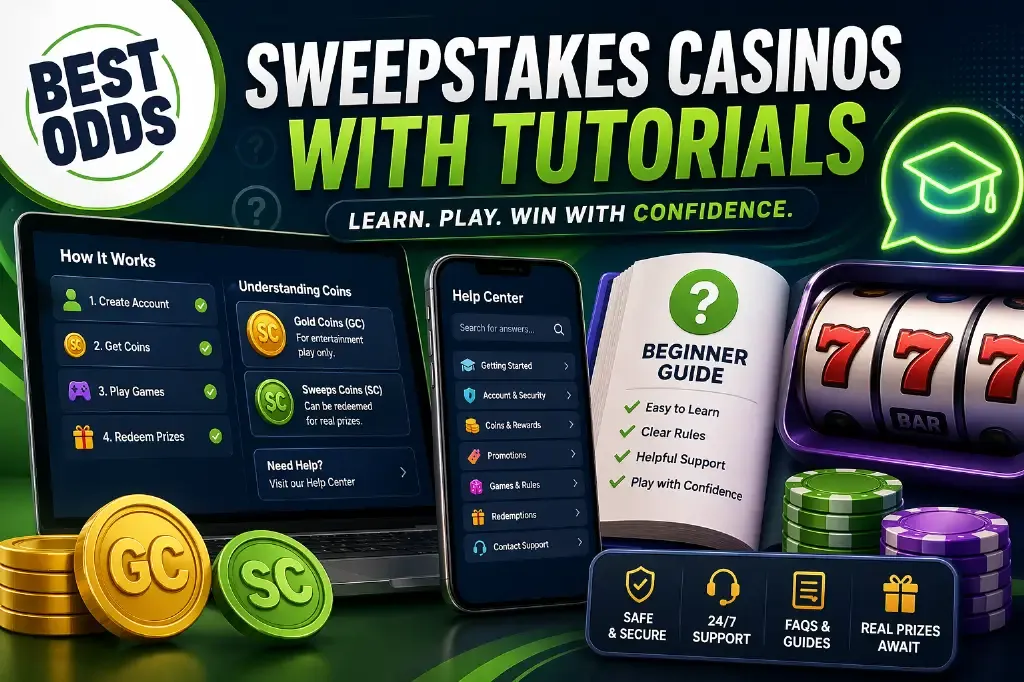
How to Play Sweepstakes Casinos: Step-by-Step
The exact buttons and currency names differ between operators, but most sweepstakes casinos follow the same basic process.
| Step | What you do |
|---|---|
| 1 | Choose a sweepstakes casino available in your location. |
| 2 | Create an account and complete any required verification. |
| 3 | Understand the difference between entertainment coins and promotional sweepstakes currency. |
| 4 | Claim promotional currency through available no-purchase methods. |
| 5 | Choose a game and select the appropriate currency mode. |
| 6 | Redeem eligible promotional winnings for prizes once the operator’s requirements are met. |
Step 1 — Choose a Sweepstakes Casino
Start by checking that the operator actually serves your location. Sweepstakes casino availability varies by state and by brand, so one operator being available does not mean another will be.
Before registering, also look at the game library, free promotional-coin methods, redemption rules and whether the site explains its currencies clearly. A large welcome package is not particularly useful if the underlying terms are difficult to understand.
The comparison above gives you a starting point. For a much wider list, see the main BestOdds sweepstakes casino guide.
Step 2 — Create Your Account
Registration usually asks for basic information such as your legal name, date of birth, email address and location. Use accurate information from the beginning because those details may later need to match your identity-verification documents.
Some operators verify users during registration, while others carry out more extensive checks before prize redemption. Minimum-age requirements can also differ between brands and jurisdictions.
If verification is particularly important to you, our fast KYC sweepstakes casino guide looks at that process separately.
Step 3 — Learn the Two-Currency System
This is the part that confuses most first-time users.
Most sweepstakes casinos separate ordinary entertainment play from promotional sweepstakes play by using two different virtual currencies.
| Currency type | What it is used for |
|---|---|
| Gold Coins / Game Coins / Crown Coins / similar | Entertainment-only play. These balances are not redeemable for prizes. |
| Sweeps Coins / Stake Cash / promotional currency | Sweepstakes participation. Eligible promotional winnings can be redeemed for prizes after the operator’s requirements are met. |
The names vary by brand, but the important point is that the two balances are not interchangeable.
A balance of 10,000 entertainment coins does not mean you have the equivalent of 10,000 Sweeps Coins or a cash balance. Always check which currency is selected before playing.
Step 4 — Get Promotional Coins Without Purchase
Sweepstakes participation should include a qualifying no-purchase route. The exact methods vary between operators.
- Signup offers: Some operators provide promotional currency after registration.
- Daily login rewards: Many platforms provide recurring free currency simply for logging in and claiming it.
- Mail-in requests: Some brands provide a postal Alternative Method of Entry under their official rules.
- Social promotions: Operators may run giveaways or limited promotional events.
- Referral rewards: Some platforms award promotional currency when qualifying referral conditions are met.
- On-site promotions: Tournaments, prize drops, streaks and other offers can provide additional opportunities.
The exact amount and method can change, so follow the current instructions in the operator’s official rules rather than relying on an old address or promotional figure.
For recurring offers, see our guides to daily login bonuses and no-deposit sweepstakes bonuses.
Step 5 — Choose a Game and Currency Mode
Once you understand the balances, choose a game and make sure you know which currency mode you are using before pressing play.
If you are completely new to a game, entertainment-only currency can be useful for learning the mechanics without using your promotional balance.
- Slots: Usually the largest game category and one of the easiest places to start.
- Blackjack: Adds player decisions and basic strategy.
- Roulette: Straightforward rules with several bet types.
- Poker: Available at selected sweepstakes platforms and involves more strategy than most casino-style games.
- Fish games: Arcade-style shooting games with mechanics very different from slots or table games.
Individual games may also have their own rules and promotional-mode restrictions, so check the information attached to the title before playing.
Step 6 — Redeem Eligible Prizes
Promotional currency usually needs to meet several conditions before it becomes eligible for prize redemption.
- Any required playthrough must be completed.
- Your account may need to pass identity verification.
- Your redeemable balance must meet the operator’s current minimum.
- The requested prize method must be available to your account.
- Your location must remain eligible under the operator’s current rules.
Redemption methods vary. Depending on the operator they can include bank-based payments, cards, e-wallets, digital gift cards or cryptocurrency.
If speed is your main concern, see our fast-payout guide and the more specific fastest redemption comparison.
Sweepstakes Casinos With Useful Beginner Help
Once you understand the basic process, the next question is which operator makes that process easiest to follow. These are useful starting points because they combine conversion value with relatively clear user guidance.
Stake.us
 Worldwide Brand
Crash & Mining Games
1 FREE SC Daily Login Bonus
25 SC and 250K GC signup bonusCLAIM BONUS
Worldwide Brand
Crash & Mining Games
1 FREE SC Daily Login Bonus
25 SC and 250K GC signup bonusCLAIM BONUS
Stake.us is a useful option for users who want a large platform but also want extensive help content available when they need it.
Its support resources cover the core areas a new user is likely to ask about, including Gold Coins, Stake Cash, account verification, purchases, prize redemption, security and general account questions.
See the current Stake.us offer.
High 5 Casino
Worldwide Brand
Crash & Mining Games
1 FREE SC Daily Login Bonus
25 SC and 250K GC signup bonusCLAIM BONUS
High 5 Casino has a dedicated help center covering how the social casino works, Sweeps Coins, account verification, purchases, playthrough and prize redemption.
That makes it useful for someone who prefers step-by-step material rather than trying to work everything out through the interface alone.
See the current High 5 Casino offer.
Crown Coins Casino
Crown Coins Casino is another option worth comparing if you prefer a relatively straightforward slots-focused experience rather than a heavily layered platform.
Crown Coins uses Crown Coins for entertainment play and Sweeps Coins separately for promotional sweepstakes play, so new users should make sure they understand which balance they are using before starting a game.
See the current Crown Coins Casino offer.
WOW Vegas
200% Extra: 30 SC FREE and 1.5M WOW CoinsCLAIM BONUS
WOW Vegas is useful for users who want a broad game library but still have access to separate help resources when questions come up.
Its larger ecosystem means there is more to learn than on a very basic slots site, so users should take time to understand WOW Coins, Sweeps Coins, rewards and redemption rules separately.
See the current WOW Vegas offer.
Free Play vs Optional Coin Purchases
One of the most important things for a beginner to understand is that the free participation route and the purchase route are separate.
Entertainment-coin packages can be available for purchase, and selected packages may include promotional Sweeps Coins or equivalent currency as a promotional extra.
Buying an entertainment-coin package is optional. It is not the same as depositing money into a gambling balance, and the entertainment coins themselves cannot later be redeemed as cash.
If you do choose to purchase a package, read exactly what is included before confirming it. Do not assume every package contains promotional currency simply because another one does.
Common Beginner Mistakes
- Confusing the two balances: Entertainment coins and promotional currency have completely different purposes.
- Choosing only by the welcome offer: A large headline number can be mostly entertainment currency.
- Making a purchase before understanding the product: Use the free routes first if you are still learning how the platform works.
- Ignoring playthrough: Promotional currency may not immediately be eligible for redemption.
- Waiting until redemption to think about KYC: Identity checks can add time if they have not already been completed.
- Using old promotional instructions: Offers, mail-in instructions and redemption terms can change.
- Joining too many platforms at once: Different currencies, rules and reward systems quickly become difficult to keep straight.
What to Check Before You Start Playing
- Is the operator available in your state?
- What is the minimum age?
- Which currency is entertainment-only?
- Which currency is used for promotional sweepstakes play?
- How can you obtain promotional currency without purchase?
- Is there a playthrough requirement?
- What is the minimum eligible redemption?
- What identity checks are required?
- Which prize-redemption methods are available?
Tutorials vs Sweepstakes Casinos for Beginners
These two BestOdds pages now serve different purposes.
| Page | Main purpose |
|---|---|
| This page | Explains how sweepstakes casinos work and how to use them step by step. |
| Sweepstakes casinos for beginners | Compares operators specifically from the perspective of a new user choosing which platform to join. |
If you are asking “How do sweepstakes casinos work?”, stay here. If you already understand the model and are asking “Which one should a beginner compare?”, use the beginner page.
Responsible Play for New Users
Sweepstakes casinos use a promotional model, but casino-style games are still based on chance and can encourage long sessions or optional spending.
Set a time limit before starting. If you decide to purchase entertainment coins, decide the amount in advance rather than increasing it during play.
Do not treat promotional currency or prize redemption as a reliable way to make money, and do not continue playing simply because you are trying to recover a previous result.
For additional resources and account-control information, visit the BestOdds Responsible Gaming page.
Frequently Asked Questions
How do you play at a sweepstakes casino?
Choose an eligible operator, create an account, understand its entertainment and promotional currencies, claim available free promotional currency, choose a game and play in the appropriate mode. Eligible promotional winnings can later be redeemed for prizes once the operator’s requirements are met.
Do I need to make a purchase to play?
No purchase should be required for qualifying sweepstakes participation. Operators can also offer optional entertainment-coin packages, sometimes with promotional currency included as a promotional extra.
What is the difference between Gold Coins and Sweeps Coins?
Gold Coins and similarly named entertainment currencies are used for ordinary play and cannot be redeemed for prizes. Sweeps Coins and equivalent promotional currencies are used for sweepstakes participation and can become eligible for prize redemption under the operator’s rules.
Should I use Gold Coins first?
If you are unfamiliar with a game, entertainment-only currency can be a useful way to learn its mechanics before using promotional currency. Always confirm which balance is selected before starting.
Can Sweeps Coins be redeemed immediately?
Not necessarily. Promotional currency may be subject to playthrough, identity verification, minimum-redemption and other eligibility requirements before it can be redeemed for a prize.
Which sweepstakes casino is easiest for beginners?
That is covered separately in our sweepstakes casinos for beginners guide, where the focus is choosing between operators rather than explaining the mechanics themselves.
Do sweepstakes casinos have tutorials?
Some provide detailed help centers, FAQs and step-by-step guides, while others rely more on simple interface design. The amount of educational support differs significantly between operators.
Can I play sweepstakes casino games on mobile?
Many operators support mobile browsers and some also provide native apps. Game availability and account features can differ between platforms and devices.
Conclusion
Learning how to play at a sweepstakes casino is mainly about understanding the system around the games: the two currencies, free promotional-coin routes, optional purchases, playthrough, verification and prize redemption.
Once those basics make sense, the games themselves are generally much easier to approach. New users can then compare platforms based on game selection, rewards, usability and redemption terms rather than trying to understand everything at once.
If you are ready to choose a platform, use the live comparison at the top of this page or continue to the BestOdds beginner sweepstakes casino guide.
Now an experienced iGaming and sports betting writer and editor, Alex has been a keen casino player and sports bettor for many years, having dabbled in both for personal entertainment. He regularly plays slots, and places bets on his favourite sports, including football and NFL as a preference; he’s a big fan of Chelsea and the New York Giants for all his sins.